Mathieu Trudel-Lapierre
on 7 July 2017
The world evolves
I regularly see “recommendations” to use ifconfig to get interface information in mailing list posts or bug reports and other places. I might even be guilty of it myself. Still, the world of networking has evolved quite a lot since ifconfig was the de-facto standard to bring up a device, check its IP or set an IP.
Following some improvements in the kernel and the gradual move to driving network things via netlink; ifconfig has been largely replaced by the ip command.
Running just ip yields the following:
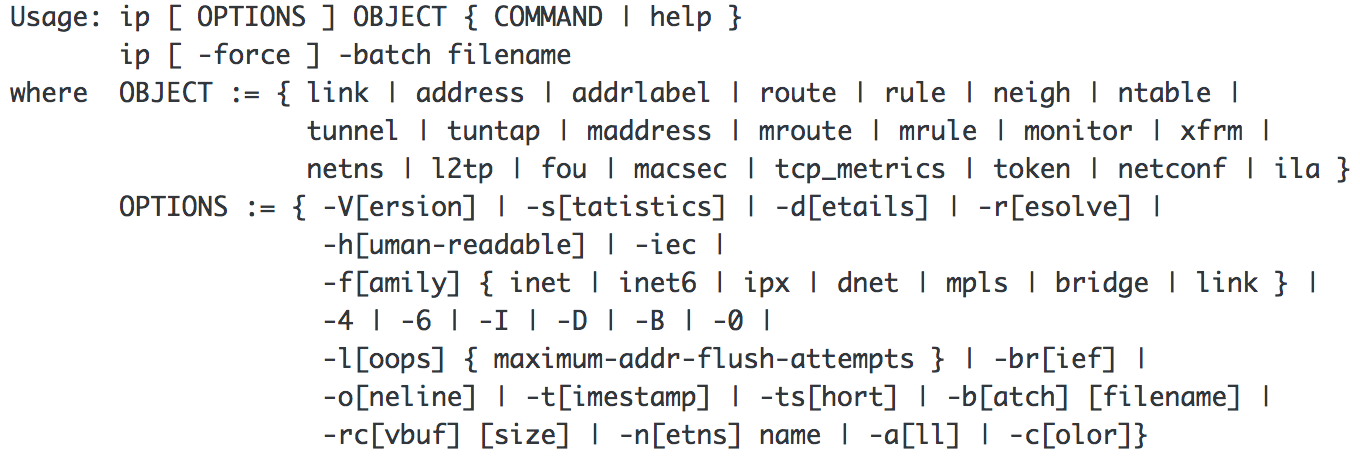
I understand this may look complicated to some people, but the jist of it is to understand that with ip, you interact with objects, and apply some kind of function to it. For example:
ip address show
This is the main command that would be used in place of ifconfig. It will just display the IP addresses assigned to all interfaces. To be precise, it will show you the layer 3 details the interface: the IPv4 and IPv6 addresses, whether it is up, what are the different properties related to the addresses…
Another command will give you details about the layer 2 properties of the interface: its MAC address (ethernet address), etc; even if it is shown by ip address:
ip link show
Furthermore, you can set devices up or down (similar to ifconfig eth0 up or ifconfig eth0 down) simply by using:
ip link set DEVICE up or ip link set DEVICE down
As shown above, there are lots of other objects that can be interacted with using the ip command. I’ll cover another: ip route, in another post.
Why is this important?
As time passes, more and more features are becoming easier to use with the ip command instead of with ifconfig. We’ve already stopped installing ifconfig on desktops (it still gets installed on servers for now), and people have been discussing dropping net-tools (the package that ships ifconfig and a few other old commands that are replaced) for a while now. It may be time to revisit not installing net-tools by default anywhere.
I want to know about your world
Are you still using one of the following tools?
/bin/netstat (replaced by ss, for which I’ll dedicate another blog post entirely)
/sbin/ifconfig
/sbin/ipmaddr (replaced by ip maddress)
/sbin/iptunnel
/sbin/mii-tool (ethtool should appropriately replace it)
/sbin/nameif
/sbin/plipconfig
/sbin/rarp
/sbin/route
/sbin/slattach
If so and there is just no alternative to using them that comes from iproute2 (well, the ip or ss commands) that you can use to do the same, I want to know about how you are using them. We’re always watching for things that might be broken by changes; we want to avoid breaking things when possible.
This article was originally featured on the author’s blog